Xbox Cloud Gaming represents one of the biggest shifts in modern gaming, changing how players access and experience video games. Instead of relying entirely on expensive consoles or high-end PCs, gamers can now stream high-quality titles directly through the cloud. This innovation has made gaming more flexible, accessible, and portable than ever before. Whether you are at home, traveling, or using a simple device, cloud gaming allows you to jump into a full gaming experience with minimal setup.
The rise of cloud gaming reflects a broader trend in the tech industry—moving powerful computing tasks from local devices to remote servers. In the case of Xbox Cloud Gaming, Microsoft uses its global Azure infrastructure to run games on powerful servers and stream them in real time to players’ screens. This removes the need for physical discs, large downloads, or constant hardware upgrades, making gaming more convenient for millions of users.
This article explores everything you need to know about Xbox Cloud Gaming, including how it works, supported devices, subscription plans, game library, performance considerations, advantages, limitations, and its future in the gaming industry. Whether you are a beginner or an experienced gamer, this guide will help you understand why cloud gaming is becoming a major part of the gaming world.
What Is Xbox Cloud Gaming?
Definition and Core Concept
Xbox Cloud Gaming is a streaming service that allows users to play video games directly from Microsoft’s cloud servers without needing to download or install them locally. Instead of your device doing the heavy processing work, the game runs on remote servers, and only the video output is streamed to your screen. Your inputs—such as controller movements or touch commands—are sent back to the server in real time.
This system makes high-end gaming possible on low-end devices, including smartphones, tablets, and basic laptops. It eliminates the need for powerful graphics cards or gaming consoles, making gaming more accessible to a wider audience.
Evolution of Cloud Gaming
The gaming industry has evolved significantly over the past two decades. It started with physical discs, moved to digital downloads, and is now shifting toward streaming-based gaming. Xbox Cloud Gaming is part of this evolution, offering a subscription-based model similar to streaming services for movies and music.
Microsoft’s entry into cloud gaming has positioned it as a leader in this space, competing with other platforms while leveraging its strong cloud infrastructure.
Key Benefits for Players
One of the biggest advantages of Xbox Cloud Gaming is accessibility. Players can instantly access games without waiting for downloads or updates. It also supports cross-device gaming, meaning you can start playing on your console and continue on your phone or PC seamlessly.
How Xbox Cloud Gaming Works
Cloud Infrastructure Explained
At the core of Xbox Cloud Gaming is a network of powerful data centers. When a player launches a game, it runs on a remote server instead of the local device. The gameplay is then streamed as a video feed to the user’s screen in real time.
This setup requires advanced compression and streaming technology to ensure smooth performance with minimal delay. Microsoft uses its Azure cloud network to manage this process efficiently across multiple regions.
Internet Requirements
Because gameplay is streamed, a stable internet connection is essential. While exact requirements vary, faster speeds and lower latency significantly improve performance. A weak or unstable connection may result in lag, buffering, or reduced visual quality.
Input and Control Systems
Players can use traditional Xbox controllers, Bluetooth controllers, or even touch controls on mobile devices. Inputs are sent instantly to the server, which processes them and updates the game accordingly. However, slight input delay can occur depending on network conditions.
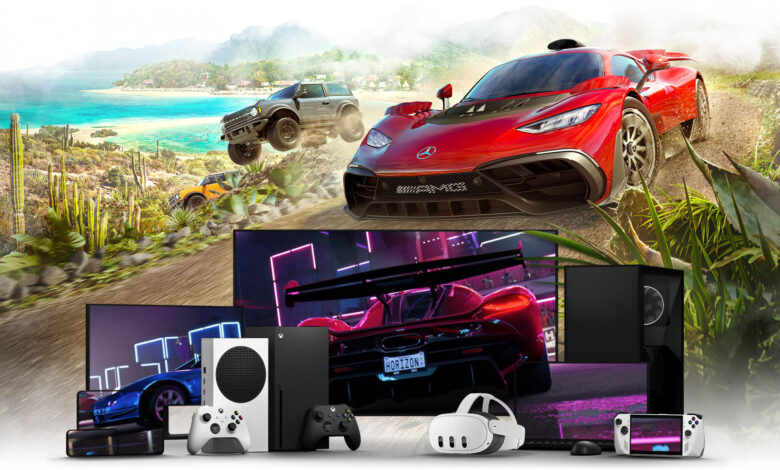
Supported Devices and Platforms
Mobile Devices
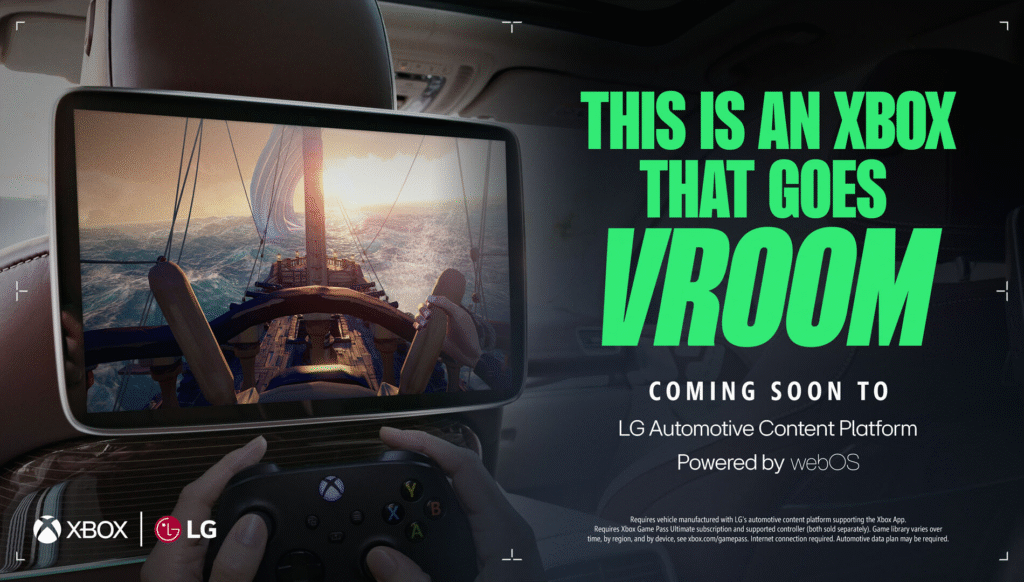
One of the most popular features of Xbox Cloud Gaming is its support for mobile devices. Players can access games on Android and iOS devices through browsers or apps, turning smartphones into portable gaming consoles.
Touch controls are available for some games, but many players prefer using external controllers for better precision.
PC and Laptops
On computers, Xbox Cloud Gaming runs through modern web browsers such as Microsoft Edge and Google Chrome. This makes it easy to access games without installing large files or dedicated software.
Smart TVs and Tablets
Support for smart TVs and tablets is expanding, allowing users to play games directly on larger screens. This brings console-like experiences into living rooms without requiring additional hardware.
Xbox Consoles Integration
Even Xbox console users benefit from cloud gaming. It allows them to try games instantly or continue playing across devices without losing progress, thanks to cloud saves.
Xbox Game Library and Content
Available Games
The Xbox Cloud Gaming library includes a wide range of titles, from blockbuster AAA games to indie releases. Many of these games come from the Xbox Game Pass catalog, giving subscribers access to a constantly rotating collection.
Multiplayer Experiences
Multiplayer gaming is a major feature of the platform. Players can join online matches, compete with friends, or participate in global communities without needing high-end hardware.
Indie and Casual Games
In addition to large-scale titles, Xbox Cloud Gaming also includes indie games that are optimized for cloud play. This provides variety and ensures there is something for every type of player.
Subscription Plans and Pricing
Xbox Game Pass Ultimate
Access to Xbox Cloud Gaming is included in the Xbox Game Pass Ultimate subscription. This plan combines cloud gaming, console gaming, and PC gaming into one package, making it highly valuable for regular players.
Value Comparison
Compared to purchasing individual games or upgrading hardware, cloud gaming can be more cost-effective. Players get access to a large library without buying each game separately.
Free Trials and Promotions
Microsoft often offers trials or discounted subscriptions, allowing new users to explore the service before committing long-term.
Performance, Graphics, and Experience
Streaming Quality
Game quality depends on both internet speed and device capability. In ideal conditions, players can experience high-resolution gameplay with smooth frame rates similar to console gaming.
Latency and Lag
Latency is one of the biggest challenges in cloud gaming. Even small delays can affect fast-paced games. Microsoft continuously works to reduce latency through improved server locations and optimization.
Optimization Tips
Using a wired connection, reducing background internet usage, and playing close to Wi-Fi routers can significantly improve performance.
Advantages and Limitations of Xbox Cloud Gaming
Major Advantages
- No need for expensive consoles or gaming PCs
- Instant access to a large game library
- Play across multiple devices seamlessly
- Easy setup with no installations required
Limitations
- Requires strong and stable internet connection
- Not all games are available on the platform
- Performance can vary depending on location and network
Comparison with Traditional Gaming
Traditional gaming offers full control over hardware performance, while cloud gaming offers convenience and accessibility. Each has its strengths depending on user needs.
Future of Xbox Cloud Gaming
Expansion of Game Library
The library is expected to grow significantly as more developers support cloud platforms. This will increase variety and attract more users.
Technological Improvements
Future upgrades are likely to reduce latency, improve graphics quality, and expand device compatibility.
Role in Gaming Industry
Cloud gaming is widely seen as the future of the industry. As internet infrastructure improves globally, services like Xbox Cloud Gaming may become the standard way people play games.
Conclusion
Xbox Cloud Gaming is transforming the gaming industry by making high-quality gaming accessible without expensive hardware. By leveraging cloud technology, Microsoft has created a system where players can enjoy console-level experiences on almost any device.
While challenges like internet dependency still exist, the convenience, affordability, and flexibility of cloud gaming continue to drive its popularity. As technology improves, Xbox Cloud Gaming is expected to become even more powerful and widely adopted.
For gamers seeking freedom from hardware limitations, cloud gaming represents not just a trend, but a major step toward the future of interactive entertainment.
FAQs
What is Xbox Cloud Gaming?
It is a cloud-based service that streams games from Microsoft servers to your device.
Do I need a console to use it?
No, it works on mobile, PC, and other supported devices.
Is Xbox Cloud Gaming free?
It is included in Xbox Game Pass Ultimate.
What internet speed is required?
A stable high-speed connection is recommended for best performance.
Can I play multiplayer games?
Yes, many multiplayer titles are supported.
Does it work on phones?
Yes, it supports both Android and iOS devices.
Are all Xbox games available?
No, only selected Game Pass titles are included.
Is cloud gaming the future?
Many experts believe it will play a major role in the future of gaming.
You May Also Read: Weather Bristol