The RCA cable is one of the most common and versatile connectors used in audio and video systems, bridging the gap between legacy technology and modern electronics. While many people associate RCA cables with older stereo systems, DVD players, or classic gaming consoles, they continue to be an essential tool for anyone looking to establish reliable, high-quality connections in their home or professional setup. Understanding RCA cable is crucial not just for connecting devices, but also for ensuring the best possible audio and video experience.
RCA cables play a vital role in transmitting analog signals between devices. Despite the rise of digital connections like HDMI, optical, and USB, RCA remains widely used due to its simplicity, affordability, and compatibility with a broad range of equipment. From home theaters and sound systems to professional audio setups, RCA cables provide a straightforward solution that often requires minimal technical know-how.
This guide is designed to give readers a comprehensive understanding of RCA cables, their types, usage, advantages, and modern relevance. Whether you are a beginner setting up your first audio system or a professional seeking to maintain signal integrity, this article will equip you with the knowledge to make informed decisions. By the end, you will not only know how to select the right RCA’cable but also how to optimize its use for superior sound and video quality.
What Is an RCA Cable?
An RCA cable is a type of electrical connector used primarily to transmit audio and video signals from one device to another. Named after the Radio Corporation of America, which introduced the technology in the 1940s, RCA’cables were initially designed for connecting phonographs to amplifiers. Over time, they became a standard connection method in consumer electronics due to their simplicity and reliability.
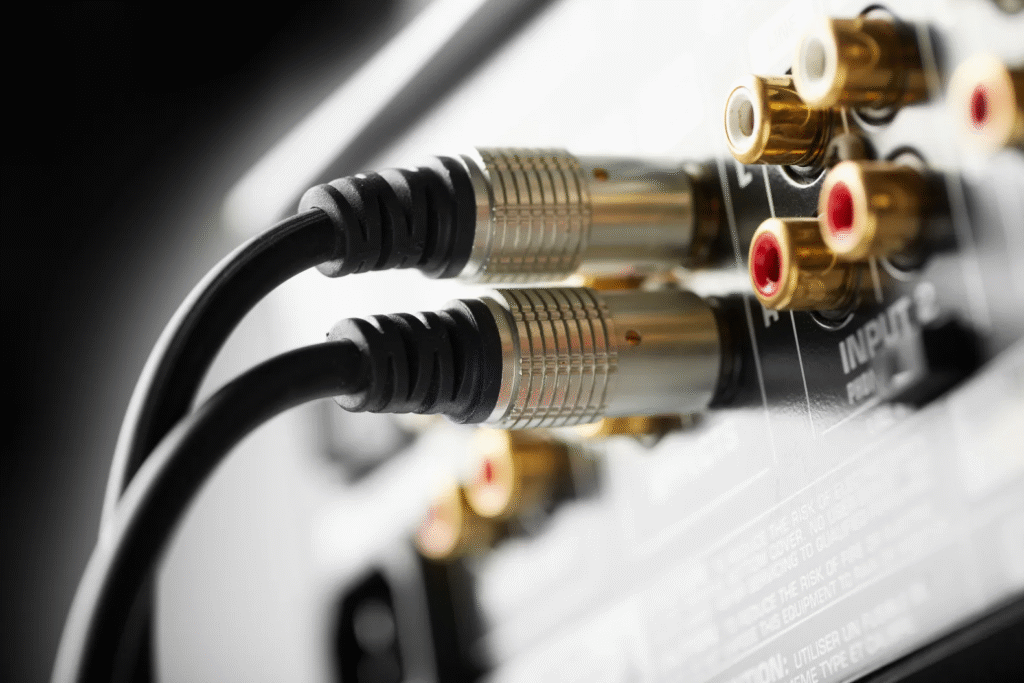
RCA cables transmit analog signals, meaning they convey continuous electrical waves that represent sound or video. The design typically includes a central pin for the signal and an outer ring that serves as a ground connection. This configuration ensures minimal signal interference when used in short to medium distances. While primarily associated with analog signals, RCA’cables can also support composite video and stereo audio signals, making them versatile for multiple applications.
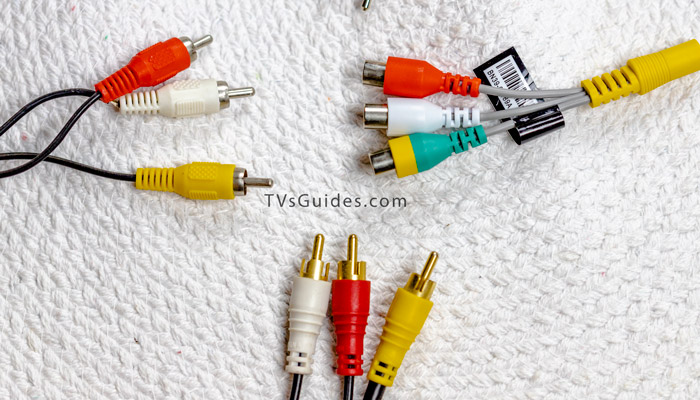
The main appeal of RCA cables lies in their ease of use. Each cable is usually color-coded: red for the right audio channel, white (or black) for the left audio channel, and yellow for composite video. These visual cues reduce confusion during installation and make RCA’cables accessible to users of all experience levels. Despite technological advancements, RCA’cables remain relevant due to their compatibility with both legacy and modern devices.
Types of RCA Cables
RCA cables come in several variations, each tailored for specific audio or video purposes. The most basic type is the standard audio RCA’cable, typically with red and white connectors for stereo sound. These are commonly used to connect devices like CD players, stereo receivers, and older gaming consoles to amplifiers or speakers.
Video RCA cables, often with a yellow connector, are designed to carry composite video signals. Composite signals combine all video information (brightness, color, and synchronization) into a single cable. For higher-quality video, component RCA cables use three separate connectors—red, green, and blue—to transmit video signals in three channels. This separation reduces color bleeding and enhances clarity, making them ideal for HD displays.
Additionally, specialty RCA’cables exist for subwoofers, phono turntables, and other audio-specific applications. The construction of these cables can vary significantly, with premium options offering thicker shielding to minimize interference and maintain signal quality over longer distances. Choosing the right type of RCA cable depends on your device, signal type, and desired performance.
How to Use RCA Cables
Using an RCA cable is generally straightforward. First, identify the ports on your source device (such as a DVD player, turntable, or game console) and the destination device (like a TV, speaker, or amplifier). Match the cable colors with the corresponding ports—red for right audio, white for left audio, and yellow for video. This ensures the signals are correctly routed without mixing channels.
Proper connection also requires securing the cables firmly to prevent loose connections. Loose RCA plugs can cause static, audio dropouts, or video interference. Additionally, keep cables organized to avoid tangling and reduce the risk of interference from other electronic devices. Using cable clips or Velcro straps can help maintain a clean setup, especially in more complex home theater systems.
RCA cables are versatile enough to be used in both home and professional environments. In professional audio setups, they often connect mixers, amplifiers, and recording devices. While they are not ideal for extremely long distances due to potential signal degradation, RCA’cables perform reliably within typical household or studio setups. Understanding these basics allows anyone to connect devices efficiently and maintain signal quality.
RCA Cable vs Other Connection Types
Compared to modern connection types like HDMI, optical, and AUX cables, RCA’cables have both advantages and limitations. Their primary advantage is simplicity; anyone can plug in a cable without worrying about software settings or digital protocols. They also remain compatible with older devices, making them essential for setups that integrate legacy electronics.
However, RCA cables are limited by analog signal transmission. Unlike digital cables such as HDMI, they cannot carry multi-channel audio or high-definition video without quality loss. Signal degradation can also occur over longer distances if the cable is poorly shielded. This is where HDMI and optical cables excel, providing higher bandwidth, better clarity, and support for modern audio formats like Dolby Digital.
Despite these limitations, RCA cables are still widely used because they are affordable, reliable, and sufficient for standard audio/video setups. For example, connecting a DVD player to an older TV or a stereo amplifier to bookshelf speakers is straightforward with RCA’cables. Understanding when to use RCA versus digital alternatives helps users achieve optimal performance for their setup.
Common Issues and Troubleshooting
RCA cables, like any connector, can experience common issues such as loose plugs, static interference, or signal loss. Loose connections often manifest as crackling audio or intermittent video. The solution is usually as simple as securely reinserting the cable into the port.
Interference can occur when RCA cables run alongside power cables or near electronic devices. Shielded cables and proper cable routing can significantly reduce noise and maintain signal integrity. For longer cable runs, consider using higher-quality RCA’cables with thicker shielding or investing in signal boosters to prevent degradation.
Faulty cables are another concern. Testing cables individually, swapping them between devices, or using a multimeter can help identify damaged wires. Regular inspection and proper storage prevent wear and tear, extending the lifespan of your RCA cables.
Buying Guide: Choosing the Right RCA Cable
When choosing an RCA cable, consider length, build quality, and shielding. Shorter cables reduce the risk of signal loss, while premium materials and robust shielding enhance durability and performance. Copper connectors and gold plating can further improve conductivity and reduce corrosion over time.
Price is another factor; higher-priced cables often offer better shielding and durability, but mid-range cables typically provide sufficient performance for everyday use. Trusted brands and manufacturers ensure reliability and customer support, adding value beyond the initial purchase. Always choose cables that match your specific audio or video setup for optimal results.
RCA Cable in Modern Technology
Despite the rise of digital connections, RCA’cables remain relevant. Many modern devices still include RCA ports to maintain compatibility with legacy equipment. Additionally, RCA-to-HDMI adapters allow users to integrate older devices into modern home theaters, demonstrating the cable’s adaptability.
The continued use of RCA’cables highlights their simplicity, affordability, and reliability. While digital alternatives are preferred for high-definition audio and video, RCA’cables still provide a practical solution for everyday needs. As long as users understand their limitations and proper usage, RCA cables will continue to serve as a vital component in many setups.
Conclusion
RCA cables may seem old-fashioned in an era dominated by digital connectors, but their versatility, simplicity, and widespread compatibility ensure they remain a relevant choice. From home audio systems to legacy video equipment, RCA’cables provide reliable connections that are easy to use and maintain.
By understanding the types, usage, troubleshooting tips, and buying considerations, users can make informed decisions that maximise performance and signal quality. Whether you are a beginner connecting your first stereo or an enthusiast integrating vintage devices into a modern setup, RCA’cables remain a practical and essential tool in audio and video technology.
Frequently Asked Questions (FAQs)
What is an RCA cable used for?
RCA cables transmit audio and video signals between devices, including TVs, DVD players, stereos, and gaming consoles.
How do I know which RCA cable I need?
Match the cable type to your devices: red/white for audio, yellow for composite video, and red/green/blue for component video.
Can RCA cables carry digital signals?
No, RCA cables primarily transmit analog signals. Digital alternatives like HDMI or optical cables are needed for digital signals.
What is the difference between audio and video RCA’cables?
Audio RCA cables carry left and right sound channels, while video RCA’cables transmit visual signals.
How long can an RCA cable be without signal loss?
Typically, RCA cables work best under 25 feet; longer runs may require higher-quality or shielded cables to prevent degradation.
Are RCA’cables still relevant for modern devices?
Yes, RCA cables remain useful for legacy devices and integrating older electronics with modern setups.
You May Also Read: LVS Ascot