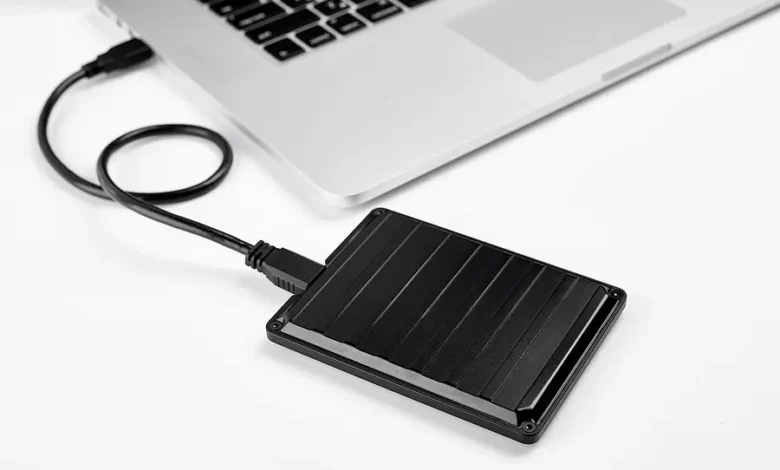
In today’s digital world, data is growing at an explosive rate. From high-resolution videos and large software applications to personal documents and game libraries, storage demand has never been higher. While cloud storage has become popular, many users still rely on physical storage solutions for speed, security, and offline access. One of the most reliable options is the external hard drive, which continues to play a major role in personal and professional computing.
An external hard drive is a portable storage device that connects to computers, laptops, gaming consoles, and even smart TVs. It allows users to store, transfer, and back up large amounts of data conveniently. Unlike internal storage, it can be easily disconnected and used across multiple devices. This flexibility makes it an essential tool for students, professionals, gamers, and content creators.
Even in 2026, external hard drives remain relevant because they offer offline access, fast transfer speeds, and full control over data. Unlike cloud storage, they do not depend on internet connectivity, making them ideal for secure backups and large file storage.
What is an External Hard Drive and How It Works?
An external hard drive is a storage device that works similarly to the internal hard drive inside a computer but is housed in a separate portable enclosure. It connects to devices using USB, USB-C, or Thunderbolt cables, allowing users to quickly access stored files without installation or complex setup.
When connected, the operating system detects the device and treats it like an additional storage space. Users can drag and drop files, install software, or back up entire folders. The data is written onto either spinning magnetic disks (in HDDs) or flash memory chips (in SSDs), depending on the type of drive used.
One of the key advantages of external drives is their plug-and-play functionality. This means no advanced technical knowledge is required. Whether on Windows, macOS, or Linux systems, most external drives work seamlessly after formatting. This makes them highly versatile for users who switch between different devices.
External hard drives are widely used for backups, media storage, and transferring large files between computers. Their portability and ease of use make them one of the most practical storage solutions available today.
Types of External Hard Drives
HDD (Hard Disk Drive)
Hard Disk Drives are the traditional form of external storage. They use spinning disks and a mechanical arm to read and write data. HDDs are known for offering large storage capacities at affordable prices, making them ideal for users who need bulk storage.
However, because they rely on moving parts, HDDs are slower compared to modern alternatives. They are also more vulnerable to physical damage if dropped or mishandled. Despite this, they remain popular due to their cost-effectiveness.
SSD (Solid State Drive)
Solid State Drives are modern storage devices that use flash memory instead of moving parts. This makes them significantly faster, more durable, and more energy-efficient. SSDs can transfer large files in seconds and are highly resistant to shock or physical impact.
The main drawback is cost—SSDs are more expensive per gigabyte compared to HDDs. However, their performance benefits often justify the investment, especially for professionals and gamers.
Portable vs Desktop External Drives
Portable external drives are small, lightweight, and powered through USB connections. They are ideal for travel and everyday use. Desktop external drives, on the other hand, offer higher storage capacity but require external power sources. These are commonly used for long-term backups and large data storage needs.
Key Features to Consider Before Buying
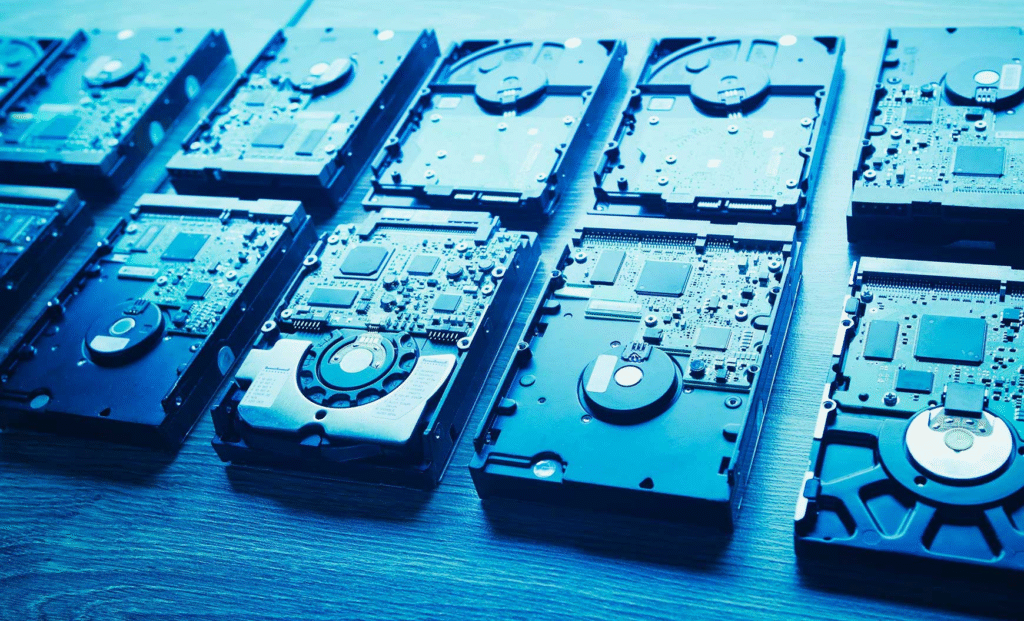
When choosing an external hard drive, storage capacity is one of the most important factors. Drives range from 500GB to 10TB or more. Casual users may only need 1TB, while professionals working with large media files may require significantly more space.
Speed is another crucial factor. USB 3.0, USB 3.2, and Thunderbolt connections offer different performance levels. SSDs generally provide much faster read and write speeds compared to HDDs, making them ideal for heavy workloads.
Durability also plays a key role. Some external drives are designed with shock-resistant or rugged builds, making them suitable for travel or outdoor use. Compatibility is equally important, as drives must work with different operating systems and devices. File formats like NTFS and exFAT ensure smooth cross-platform usage.
Security features such as password protection and encryption are also valuable, especially for users storing sensitive data. Many modern drives include built-in backup software for added convenience.
Uses and Benefits of External Hard Drives
External hard drives serve multiple purposes in both personal and professional environments. One of their most important uses is data backup. Users can store copies of important files, ensuring protection against system crashes or accidental deletion.
They are also widely used for storing large media files such as videos, photos, and music libraries. Content creators, photographers, and video editors rely heavily on external drives due to their high storage capacity and portability.
Gamers use external drives to expand console storage and store large game files. Professionals use them to transfer work between devices and maintain organized file systems. Students benefit from storing assignments and study materials safely.
Unlike cloud storage, external drives do not require internet access, making them ideal for offline environments. This makes them a reliable solution for secure and fast data access.
SSD vs HDD: Which External Hard Drive is Better?
The choice between SSD and HDD depends on user needs. SSDs offer significantly faster performance, making them ideal for tasks that require speed, such as video editing, gaming, or software development. They also last longer due to the absence of moving parts.
HDDs, however, provide much larger storage at a lower cost. They are better suited for users who need to store large amounts of data without requiring high-speed access. For example, backup storage or archival purposes.
In terms of reliability, SSDs are more durable and resistant to physical damage. HDDs are more fragile but remain cost-effective for bulk storage. Ultimately, many users choose a combination of both for balanced performance and affordability.
Common Problems and Troubleshooting
One common issue is when the external hard drive is not detected by the system. This can happen due to faulty cables, outdated drivers, or formatting errors. Restarting the device or changing USB ports often solves the problem.
Slow transfer speeds are another frequent issue. This may be caused by outdated USB ports or background processes running on the computer. Using USB 3.0 or higher can significantly improve performance.
Data corruption can occur if the drive is removed without proper ejection. Always safely eject the device to avoid file damage. In case of corruption, recovery tools may help restore lost files.
Formatting issues can arise when switching between operating systems. Choosing the correct file system (such as exFAT) ensures compatibility across devices.
Conclusion
External hard drives remain one of the most practical and reliable storage solutions in 2026. They offer a perfect balance of portability, capacity, and security, making them essential for both personal and professional use.
Whether you choose an HDD for large storage or an SSD for high-speed performance, understanding your needs is key to making the right choice. With proper care and maintenance, an external hard drive can serve as a long-term solution for safeguarding valuable digital data.
As data continues to grow, having a dependable storage device is no longer optional—it is a necessity for modern digital life.
FAQs
What is an external hard drive used for?
It is used for storing, backing up, and transferring files between devices.
Is SSD better than HDD?
SSDs are faster and more durable, while HDDs are cheaper and offer more storage.
Can I use an external hard drive on multiple devices?
Yes, most external drives are compatible with multiple systems.
Why is my external hard drive not detected?
It may be due to connection issues, drivers, or formatting errors.
How long does an external hard drive last?
Typically between 3 to 10 years depending on usage and care.
Can I use it for gaming?
Yes, many gaming consoles support external storage devices.
What is the safest way to use it?
Always eject safely, avoid physical damage, and keep regular backups.
You May Also Read: Aldi Careers Guide