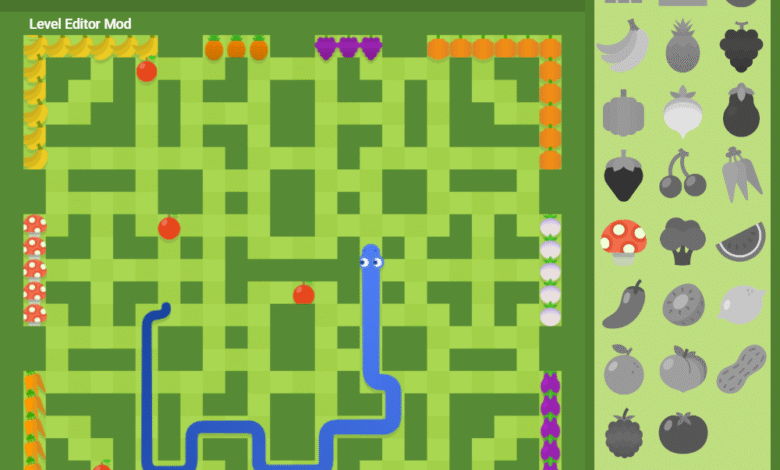
Google Snake Mods have transformed the classic Google Snake game from a simple time-killer into a highly customizable and endlessly replayable experience. Originally hidden as a fun Easter egg within Google Search, the Snake game quickly gained popularity due to its nostalgic gameplay and instant accessibility. However, many players soon wanted more—more speed control, more maps, more challenges, and more personalization. That demand is exactly what led to the rise of Google Snake Mods.
Google Snake Mods are community-created modifications that enhance or change how the original game works. These mods can introduce new mechanics, visual styles, controls, and even entirely new game modes. For casual players, mods add fun and variety. For competitive or long-time players, they unlock deeper complexity and fresh challenges. Whether you want a faster snake, larger maps, or wild visual themes, Google Snake Mods offer a creative way to reinvent a classic game without downloading heavy software or paid tools.
Types of Google Snake Mods
One of the biggest reasons Google Snake Mods are so popular is the wide variety of mod types available. Gameplay mods are the most common, allowing players to adjust speed, difficulty, and map size. Some mods remove walls entirely, while others add portals, obstacles, or special power-ups. These changes dramatically affect strategy and make each session feel unique. Players can choose relaxed, endless gameplay or high-speed, skill-based challenges depending on their preferences.
Visual and theme mods focus on aesthetics rather than mechanics. These mods let players customize snake colors, grid designs, backgrounds, and animations. From retro pixel themes to neon cyberpunk styles, visual mods add personality to the game. Control-based mods further enhance accessibility by enabling custom key bindings, mouse controls, or experimental multiplayer features. Together, these mod types allow Google Snake to evolve from a basic browser game into a highly personalized gaming experience tailored to every kind of player.
How to Install Google Snake Mods
Installing Google Snake Mods is surprisingly simple, especially for browser-based players. Most mods work directly in Chrome or Chromium-based browsers and require no downloads beyond scripts or extensions. Common methods include using browser developer tools, installing Chrome extensions, or running JavaScript snippets that modify the game in real time. These approaches make modding accessible even for users with minimal technical knowledge.
However, safety is an important consideration when installing Google Snake’Mods. Players should only use trusted sources and open-source mod repositories to avoid malicious scripts. Compatibility is also key—some mods work best on specific browsers or game versions. Keeping mods updated ensures smooth performance and reduces the risk of glitches. By following basic safety practices, players can enjoy enhanced gameplay without compromising browser security or stability.
Best Google Snake Mods to Try
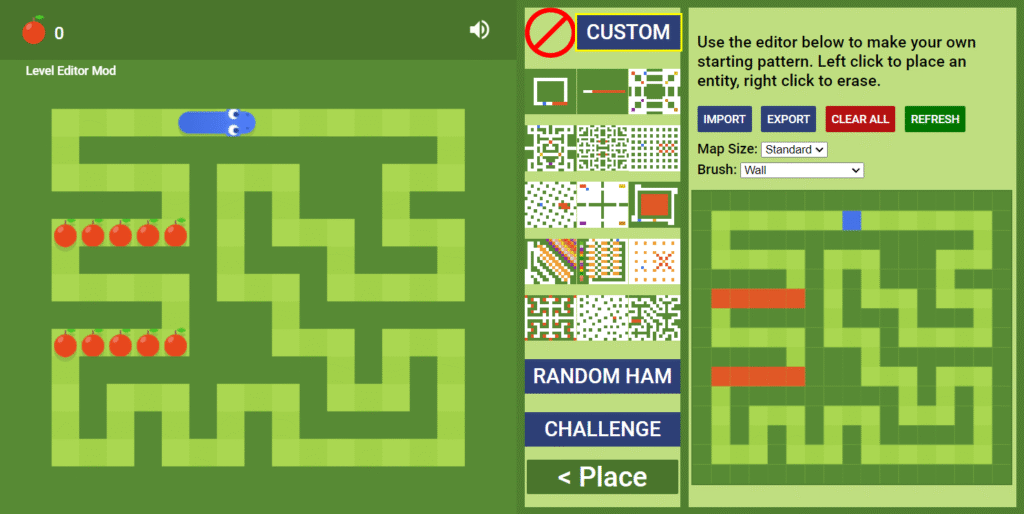
With so many Google Snake Mods available, choosing the best ones can feel overwhelming. Popular mods often include speed sliders, map expanders, and no-wall modes, which are perfect for beginners. These mods enhance gameplay without drastically altering the core mechanics, making them ideal entry points for new mod users. Visual mods like custom skins and animated backgrounds are also highly recommended for players who enjoy personalization.
Advanced players may prefer complex mods that introduce AI opponents, competitive scoring systems, or unpredictable obstacles. Community-created mods often push the boundaries of what Google Snake can do, offering innovative mechanics and experimental features. Many of these mods are open-source, allowing users to tweak or combine them for even greater customization. Trying different mods helps players discover new ways to enjoy a familiar game while keeping the experience fresh and engaging.
Google Snake Mods vs Original Game
Comparing Google Snake Mods to the original game highlights just how transformative mods can be. The original Google Snake is intentionally simple—limited maps, fixed speed, and basic visuals. While that simplicity is part of its charm, it also limits replayability for long-term players. Mods break these limitations by adding variety, challenge, and personalization.
That said, mods do come with minor drawbacks. Some may cause performance issues, conflicts, or occasional bugs depending on browser updates. Additionally, purists may prefer the original experience for its nostalgic simplicity. Ultimately, the best version depends on the player. Casual users may enjoy the original game, while enthusiasts and competitive players will likely prefer the depth and flexibility offered by Google Snake’Mods.
Conclusion
Google Snake Mods have breathed new life into one of the internet’s most iconic mini-games. By expanding gameplay mechanics, enhancing visuals, and offering customization options, mods turn a simple browser game into a dynamic and creative experience. They extend replay value, encourage experimentation, and allow players to shape the game to their personal style.
Whether you’re a casual player looking for visual upgrades or a dedicated gamer seeking new challenges, Google Snake Mods offer something for everyone. With easy installation and a thriving modding community, there has never been a better time to explore the modded side of Google Snake and rediscover the game in exciting new ways.
Frequently Asked Questions (FAQs)
Are Google Snake Mods safe to use?
Yes, when installed from trusted and reputable sources, Google Snake Mods are generally safe.
Do Google Snake Mods work on mobile devices?
Most mods are designed for desktop browsers and may not function properly on mobile.
Can Google Snake Mods get you banned?
No, Google Snake Mods do not result in bans, as the game has no competitive ranking system.
Are Google Snake Mods free?
Yes, the majority of Google Snake Mods are completely free to use.
Which browser is best for Google Snake Mods?
Google Chrome and Chromium-based browsers offer the best compatibility.
How do I remove or disable Google Snake Mods?
Mods can be removed by disabling extensions, refreshing the browser, or clearing injected scripts.
You May Also Read: F and F Clothing