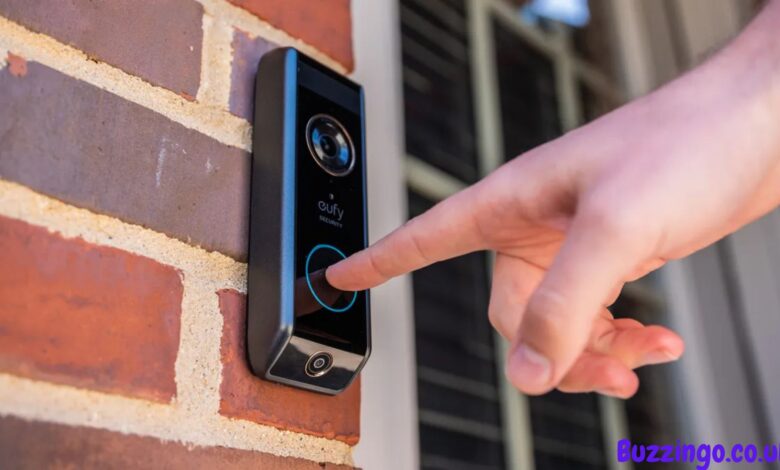
In recent years, smart home technology has revolutionized home security, and doorbells are at the forefront of this transformation. The Eufy Doorbell has emerged as a popular choice for homeowners in the UK and worldwide, offering a blend of convenience, reliability, and advanced features. Unlike traditional doorbells, smart doorbells not only alert you to visitors but also provide live video feeds, motion detection, and two-way communication, all from your smartphone.
Eufy, developed by Anker Innovations, is renowned for its high-quality electronics and smart home products. The Eufy Doorbell combines robust hardware with an intuitive app, making it easy for users to monitor their homes, communicate with visitors remotely, and enhance security without expensive subscriptions. For families, professionals, and tech enthusiasts alike, this doorbell offers peace of mind, especially in today’s fast-paced world where being away from home is common.
This article is designed to provide a comprehensive guide to the Eufy Doorbell, covering everything from its key features and setup to troubleshooting, maintenance, and comparisons with other smart doorbells. By the end of this guide, homeowners will have the knowledge to choose the right Eufy model, install it effectively, and optimize its functionality for long-term security benefits.
What is the Eufy Doorbell?
The Eufy Doorbell is a smart home device designed to replace your traditional doorbell while providing advanced features that enhance home security. It offers high-definition video streaming, motion detection, and two-way audio communication, allowing homeowners to see and speak with visitors from anywhere using a mobile app. Eufy offers both wired and wireless models, giving users flexibility depending on their existing home setup.
The wired models connect directly to your home’s doorbell wiring, providing continuous power, whereas wireless models rely on rechargeable batteries and Wi-Fi connectivity, allowing easier installation without complex wiring. Both types deliver high-quality video, night vision, and customizable motion alerts. The doorbell also integrates seamlessly with smart home ecosystems such as Amazon Alexa and Google Assistant, providing added convenience for users with existing smart home setups.
Beyond security, the Eufy Doorbell offers features that improve convenience. Visitors can leave messages if you are away, and the device’s motion sensors can differentiate between people and other moving objects, reducing unnecessary notifications. With local storage options and no mandatory subscription fees, Eufy stands out among competitors for delivering both value and privacy.
For UK homeowners, this means enhanced control over home security and the ability to respond to visitors instantly, whether you’re at work, on vacation, or simply in another room. The Eufy Doorbell’s reliability, intuitive interface, and feature-rich design make it a practical solution for modern home security needs.
How to Install and Set Up the Eufy Doorbell
Installing the Eufy Doorbell is straightforward, whether you choose a wired or wireless model. For wired versions, the process involves turning off your home’s power supply, removing your existing doorbell, and connecting the Eufy Doorbell to your doorbell wiring. Once wired, the doorbell is mounted using the included brackets, and power is restored to confirm operation.
For wireless models, installation is even simpler. The battery-powered doorbell can be mounted using screws or adhesive brackets. The device is then connected to your home Wi-Fi network using the Eufy Security mobile app, which guides you through setup step by step. This process includes creating an account, naming your doorbell, and configuring motion detection zones.
Optimizing placement is essential for accurate motion detection. Eufy recommends mounting the doorbell at eye level to capture clear video of visitors and adjusting the motion detection sensitivity in the app to prevent false alerts from passing cars, pets, or shadows. Once installed, homeowners can customize notifications, enable two-way audio, and adjust video quality settings based on their preference and internet bandwidth.
Avoiding common mistakes, such as weak Wi-Fi signals or improper mounting angles, ensures smooth performance. By following manufacturer instructions and leveraging the app’s guided setup, homeowners can have a fully functional smart doorbell in minutes, ready to enhance home security and convenience.
Features and Benefits of the Eufy Doorbell
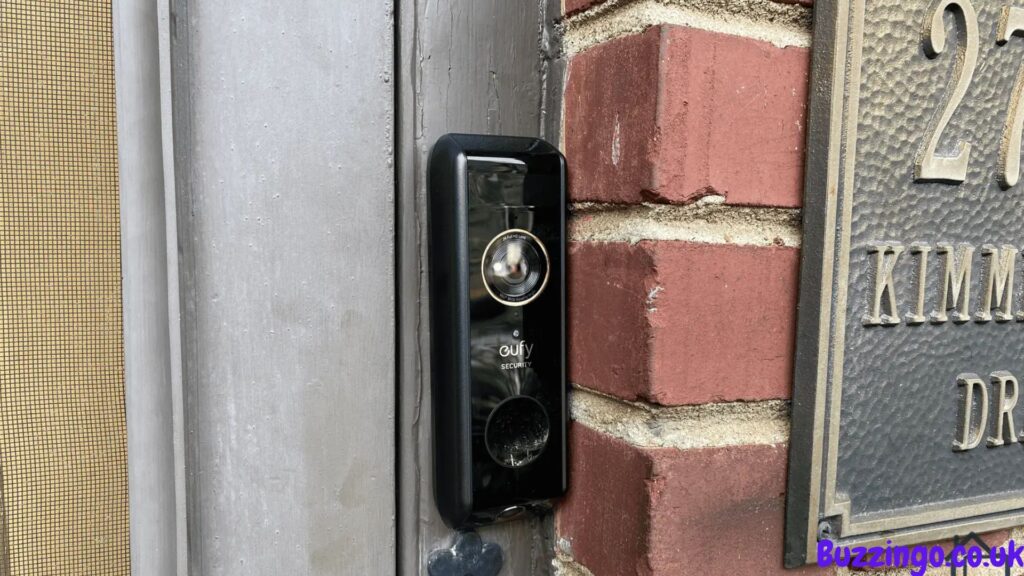
One of the standout features of the Eufy Doorbell is its high-definition video capability. Most models offer 2K resolution with HDR, ensuring that every visitor is captured in clear, detailed footage. Night vision technology allows homeowners to see visitors even in low-light conditions, enhancing safety during nighttime hours.
Motion detection is another critical benefit. The Eufy Doorbell uses advanced sensors to detect movement near your doorstep, sending real-time alerts to your smartphone. Users can create custom motion zones to focus on areas like pathways and gates, reducing unnecessary notifications. Two-way audio enables direct communication with visitors, allowing homeowners to greet guests, provide instructions, or deter unwanted intruders remotely.
Battery life and power options vary depending on the model. Wireless models often provide months of usage per charge, while wired versions deliver continuous power without the need for recharging. Additionally, Eufy offers local storage for video recordings, meaning footage is stored securely at home without monthly subscription fees, unlike many competitors.
The overall security advantages are significant. Homeowners can monitor their property in real-time, respond to visitors instantly, and maintain a record of all activity at their doorstep. The integration with smart home ecosystems further allows for voice commands and automation, increasing convenience while reducing reliance on manual monitoring. For families and tech-savvy users alike, the Eufy Doorbell provides a reliable, feature-rich security solution.
Troubleshooting and Maintenance
Like all smart devices, the Eufy Doorbell may occasionally encounter issues. Common problems include connectivity drops, delayed notifications, or app syncing errors. Most of these can be resolved by ensuring a strong Wi-Fi signal, updating the firmware via the Eufy Security app, or restarting the device.
Battery-powered models may require periodic recharging. Eufy provides guidance on optimizing battery life, including adjusting video quality, motion sensitivity, and notification frequency. Cleaning the camera lens regularly helps maintain video clarity, and checking mounts ensures that the doorbell remains stable and secure.
For more complex problems, Eufy offers responsive customer support and troubleshooting guides. Firmware updates delivered through the app can improve performance and add new features, so keeping the device updated is essential. Proper care and maintenance not only prevent disruptions but also extend the lifespan of the device.
By following these practices, homeowners can ensure consistent performance and reliable security monitoring. Routine checks, timely firmware updates, and mindful placement all contribute to maximizing the benefits of the Eufy Doorbell over time.
Comparing Eufy Doorbell with Other Smart Doorbells
The Eufy Doorbell competes with other popular models such as Ring and Nest. Unlike some competitors, Eufy emphasizes local storage, which eliminates recurring subscription fees and enhances privacy. Its high-definition 2K video and advanced motion detection provide superior clarity and accurate alerts.
Ring offers extensive cloud-based features but often requires paid plans for full video access. Nest integrates well with Google ecosystems but may have higher costs and subscription fees. Eufy strikes a balance between affordability, privacy, and functionality, making it ideal for UK homeowners seeking value without compromising performance.
Depending on household needs, Eufy is suitable for families, busy professionals, or anyone prioritizing privacy and ease of use. Its intuitive app, versatile mounting options, and compatibility with smart home systems further enhance its appeal. Compared to competitors, Eufy delivers a strong combination of convenience, security, and cost-effectiveness.
Conclusion
The Eufy Doorbell is a versatile, high-quality, and user-friendly smart home device that significantly enhances home security. Its features, including HD video, night vision, motion detection, and two-way audio, provide peace of mind for homeowners while offering convenience and ease of use.
Whether choosing a wired or wireless model, understanding proper installation, setup, and maintenance ensures long-term performance and reliability. Compared to competitors, Eufy offers privacy-focused local storage, robust features, and affordability, making it an excellent choice for UK households.
By investing in a Eufy Doorbell, homeowners can protect their property, communicate with visitors remotely, and enjoy a smarter, safer home environment. Regular maintenance, app updates, and correct placement guarantee that this device continues to deliver optimal security for years to come.
FAQs
Is the Eufy Doorbell compatible with Alexa or Google Home?
Yes, it works seamlessly with both platforms for voice commands and smart home integration.
How long does the battery last on a wireless Eufy Doorbell?
Most wireless models last between 4-6 months per charge, depending on usage and motion alerts.
Can I store video recordings locally without a subscription?
Yes, Eufy provides local storage options, eliminating the need for monthly cloud fees.
What is the difference between wired and wireless Eufy Doorbells?
Wired models connect to your home’s existing doorbell system, while wireless models are battery-powered and easier to install.
How do I reset or troubleshoot my Eufy Doorbell?
Firmware updates via the app, device restarts, and checking Wi-Fi connectivity usually resolve most issues.
Does Eufy Doorbell work in all weather conditions?
Yes, Eufy Doorbells are weatherproof and designed to operate in rain, snow, and heat.
Can multiple people access the Eufy Doorbell camera feed?
Yes, multiple users can be granted access through the Eufy Security app.
What is the warranty and support for Eufy Doorbell in the UK?
Most models come with a one-year manufacturer warranty and UK-based customer support.
You May Also Read: Ninja Slushie Maker UK