Finding a Good Laptop for Football Manager is different from choosing a laptop for most modern games. Football Manager is not mainly about high-end graphics or visual effects; it is a detailed management simulation that constantly processes player statistics, match results, transfers, tactics, scouting reports, and league activity in the background. The quality of your laptop directly affects how quickly the game processes days, loads saves, and handles larger databases.
Many players make the mistake of buying a laptop based only on graphics cards or gaming features. However, for Football Manager, the processor, RAM, and storage speed usually have a bigger impact on everyday performance. A balanced laptop with the right hardware can provide faster simulations, smoother gameplay, and a better long-term experience without unnecessary spending.
Whether you are managing a small club with one league loaded or building a huge career save with multiple nations and thousands of players, choosing the right laptop will make a noticeable difference. This guide explains the most important specifications, the types of laptops that work best, and what you should look for before buying a machine for Football Manager.
What Makes a Good Laptop for Football Manager?
The most important component when choosing a Good Laptop for Football Manager is the processor. Football Manager depends heavily on CPU performance because the game engine constantly calculates matches, player development, transfers, training results, and other simulation tasks. A modern Intel Core i5, Core i7, AMD Ryzen 5, or Ryzen 7 processor is usually a strong choice for players who want fast processing and smoother gameplay.
CPU speed is especially important because Football Manager benefits from strong single-core performance. A laptop with a powerful processor can move through match days, transfer windows, and seasons faster than a weaker machine. While having multiple cores is useful for general multitasking, the quality and speed of the processor remain one of the biggest factors affecting Football Manager performance.
RAM is another important factor because Football Manager stores large amounts of data while running. For casual players with smaller databases, 8GB RAM can work, but 16GB RAM is a much better choice for most users. It provides enough space for larger databases, browser applications, graphics packs, and other background tasks without slowing the system down.
Storage also affects your experience. A laptop with an SSD will load the game, save files, and menus much faster than older hard drive technology. Although storage speed does not dramatically increase match calculations, it improves the overall responsiveness of the laptop and makes everyday use much smoother.
Best Laptop Specifications for Different Football Manager Players
Not every Football Manager player needs the same type of laptop. Your ideal machine depends on how you play the game, how many leagues you load, and how long you want the laptop to last. Someone managing a single club with a small database has very different needs from a player who loads every major football nation.
For casual players, a laptop with a modern Intel Core i5 or AMD Ryzen 5 processor, 8GB to 16GB RAM, and SSD storage is usually enough. This setup can handle normal career saves, standard databases, and regular gameplay without requiring a premium machine. It provides good performance while keeping the cost reasonable.
For serious Football Manager fans, a 16GB RAM laptop with a stronger processor is the recommended option. This setup is ideal for players who enjoy multiple leagues, larger databases, custom graphics packs, and long-term saves that continue for many seasons. It offers better performance and prevents slowdowns as your career becomes more complex.
For extreme users who load huge databases, dozens of leagues, or run multiple applications alongside the game, a higher-end laptop with 32GB RAM and a powerful Core i7, Core i9, Ryzen 7, or Ryzen 9 processor can provide extra headroom. However, most players do not need this level of hardware unless they specifically want maximum database performance.
Best Types of Laptops for Football Manager
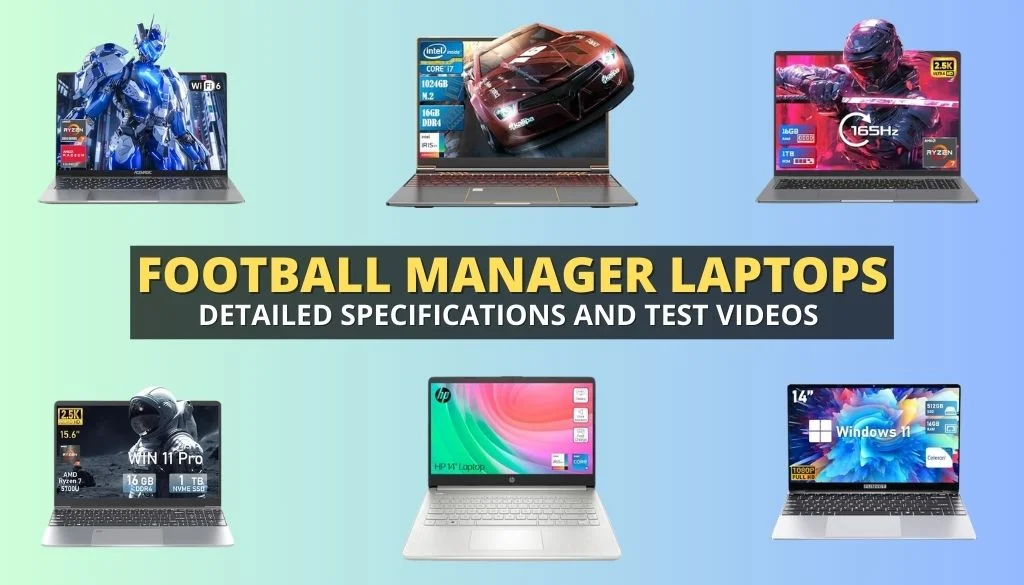
A common question among players is whether they need a gaming laptop for Football Manager. The answer depends on how you play. Unlike many modern games, Football Manager does not require a powerful graphics card for standard management gameplay. A normal productivity laptop with a strong processor can perform very well.
A lightweight laptop is a good choice for students, professionals, or players who want portability. Models with efficient processors, good battery life, and SSD storage can run Football Manager comfortably while being easier to carry. These laptops are ideal for people who play mainly in 2D match mode or do not use extremely large databases.
A gaming laptop becomes more useful for players who want enhanced 3D match graphics or need stronger cooling for long sessions. Gaming laptops usually include more powerful processors, better thermal systems, and dedicated graphics cards. This makes them suitable for users who want smoother 3D matches alongside heavy Football Manager workloads.
A mid-range laptop often provides the best balance for most players. A machine with a strong processor, 16GB RAM, SSD storage, and reliable cooling can deliver excellent performance without the high price of premium gaming models.
Best Laptop Choices for Football Manager Players
When buying a Good Laptop for Football Manager, choosing a category based on your needs is more useful than simply buying the most expensive model. Different players require different levels of performance.
For budget users, laptops from the Lenovo IdeaPad, Acer Aspire, HP Pavilion, or similar ranges can be good options when equipped with a modern processor and SSD storage. These laptops are suitable for players running smaller databases and focusing mainly on normal career modes.
For most Football Manager players, mid-range options are usually the best investment. Models such as Lenovo LOQ, HP Victus, Acer Nitro, ASUS TUF, and similar performance laptops often provide stronger processors, better cooling, and enough RAM for larger databases. These types of machines offer a good balance between price and performance.
Premium laptops are designed for users who want maximum performance. High-end gaming laptops or professional machines with powerful Intel Core i7/i9 or AMD Ryzen 7/9 processors can handle demanding saves, large databases, and additional workloads. They are excellent choices for dedicated players who spend hundreds of hours building their football careers.
Do You Need a Gaming Laptop for Football Manager?
Many players assume that a gaming laptop is necessary because Football Manager is a game. However, this is not always true. The game is more dependent on processing power than extreme graphics performance, especially for users who mainly play using standard match views.
A normal laptop with a good processor and enough RAM can run Football Manager effectively. If your main goal is managing tactics, transfers, scouting, and player development, you do not need to spend extra money on a powerful graphics card.
A gaming laptop becomes valuable when you want detailed 3D matches, higher visual settings, or better performance with large databases. Dedicated GPUs improve the visual side of the game, especially for users who prefer watching matches rather than using simpler views.
The best approach is to focus your budget on the processor first, then RAM and storage. A balanced laptop will usually provide a better Football Manager experience than an expensive machine with unnecessary gaming features.
Common Mistakes When Buying a Football Manager Laptop
One of the biggest mistakes is focusing only on the graphics card. Many buyers spend extra money on powerful GPUs while ignoring the processor, even though Football Manager relies heavily on CPU calculations. A balanced system is more important than a laptop designed only for graphical performance.
Another mistake is choosing outdated hardware because of a low price. A cheap laptop with an old processor, limited RAM, or slow storage may work initially but can become frustrating as your database grows. Investing in modern components usually provides better value over time.
Buying a laptop with only a small amount of storage can also become a problem. Football Manager saves, updates, graphics packs, and other files can quickly consume space. A 512GB SSD is a practical starting point for many users, while 1TB provides additional comfort.
Users should also avoid choosing laptops with poor cooling systems. Long Football Manager sessions can keep the processor active for extended periods, and good thermal management helps maintain consistent performance.
How to Improve Football Manager Performance on Your Laptop
Even after buying a good laptop, optimizing your system can improve your experience. Keep your operating system updated, close unnecessary background applications, and make sure Football Manager is installed on SSD storage for faster loading.
Managing database size is another effective way to improve performance. Loading every possible league may sound exciting, but it increases processing demands. Choosing only the countries and competitions you actually need can create a smoother experience.
Graphics settings can also be adjusted depending on your laptop. Players who experience slower performance can reduce 3D match settings or use simpler match views while keeping the important management features unchanged.
Regular maintenance also matters. Keeping your laptop cool, maintaining free storage space, and avoiding unnecessary software running in the background can help your system perform better throughout long Football Manager careers.
Conclusion
Choosing a Good Laptop for Football Manager is about finding the right balance between processor power, RAM, storage, and your personal playing style. You do not always need the most expensive gaming laptop, but you do need hardware that can handle the calculations and database demands of the game.
For most players, a laptop with a modern Core i5 or Ryzen 5 processor, 16GB RAM, and SSD storage will provide an excellent experience. Casual players can choose more affordable options, while dedicated managers with large databases may benefit from stronger machines.
The right laptop allows you to spend less time waiting for processing and more time focusing on tactics, transfers, and building your football legacy. By choosing wisely, you can enjoy smoother gameplay and many successful seasons.
FAQs
What is the best laptop specification for Football Manager?
A modern Core i5/Ryzen 5 processor, 16GB RAM, and SSD storage are ideal for most Football Manager players.
Do I need a gaming laptop for Football Manager?
No, a normal laptop with a strong processor can run Football Manager well, although gaming laptops help with 3D match performance.
Is 16GB RAM enough for a large Football Manager database?
Yes, 16GB RAM is enough for most users, while 32GB is useful for extremely large databases and heavy multitasking.
Is CPU more important than GPU for Football Manager?
Yes, the CPU is generally more important because Football Manager depends heavily on simulation calculations.
What is the cheapest laptop that can run Football Manager smoothly?
A budget laptop with a modern processor, SSD storage, and at least 8GB to 16GB RAM can provide a good experience.
You May Also Read: String Trimmer Line Keeps Breaking